For businesses
Your own wallet passes, without writing a line of code.
Design loyalty cards, tickets, memberships and coupons in the dashboard, send them to customers, and keep them up to date. If you can make a social post, you can run this.
What you get
Everything, from the dashboard.
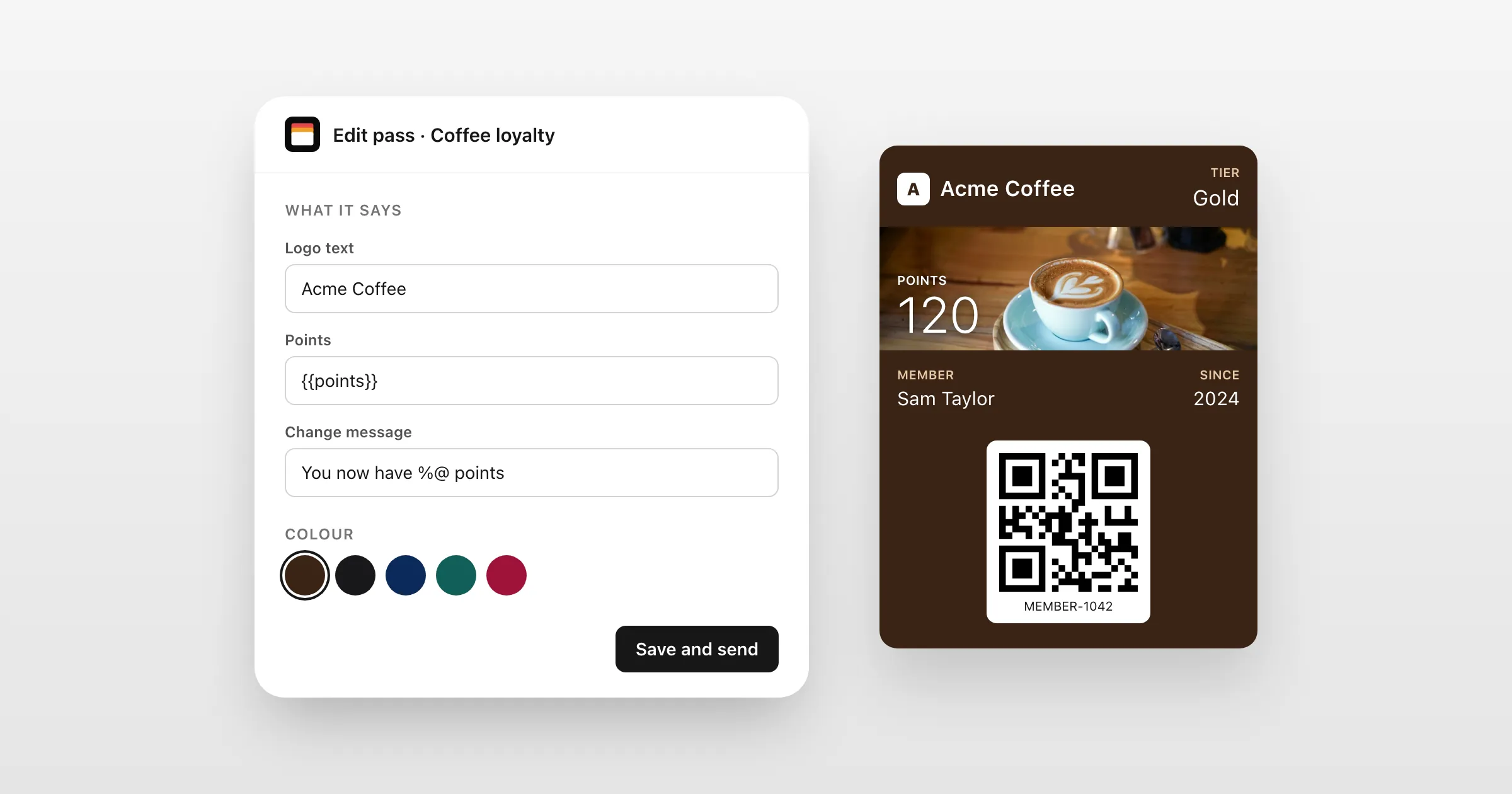
Design it as you see it
A visual editor with live Apple Wallet and Google Wallet previews, including iOS 27's poster layout.
Templates for every customer
Design once, and each customer's card gets their own name, number and balance.
Your list, in one go
Upload a spreadsheet and every row becomes a pass, ready to send.
A sign-up page
Share one link or QR code, and customers fill in a short form to get their own pass.
Messages to everyone
An offer, a reminder or news, on every holder's lock screen, or just the ones you choose.
See who has it
Who added each pass and when, with the list to export.
How it works
Your first pass today
- 1
Start free
Every feature, on test passes that install and update on real phones.
- 2
Design and send
Make your design in the editor, then send each customer their link.
- 3
Go live
Add your own Apple and Google identity, and passes come from your name, with install pages in your colours.
Your brand, not ours
Passes and pages that look like you.
Each pass carries your name, logo and colours. The page customers add it from can be in your colours, on your own web address.
- Install pages in your own colours, with your logo
- Your own web address, such as passes.example.com
- Apple's and Google's official buttons, shown to the right phone
- A QR code on computers, to scan with a phone
Questions
Do I need a developer?
No. Everything here is in the dashboard: designing, sending, importing, messaging and seeing who has each pass. The API is there if you ever want it.
Do I need Apple and Google accounts?
Not to start: the free plan uses ours, with passes marked as test passes. To issue real passes in your name, you add your own Apple and Google identity.
Can my customers sign themselves up?
Yes. With your own Apple and Google identity, a sign-up page lets people get their own pass from a link or a QR code.
Where is my customers' data kept?
In the EU. Apple, Google and our email provider handle passes and emails to deliver them.
Put your first pass on a phone today.
Free to start, with every feature on test passes. Add your own Apple and Google details when you're ready to go live.