For larger businesses
Every brand and department, one account.
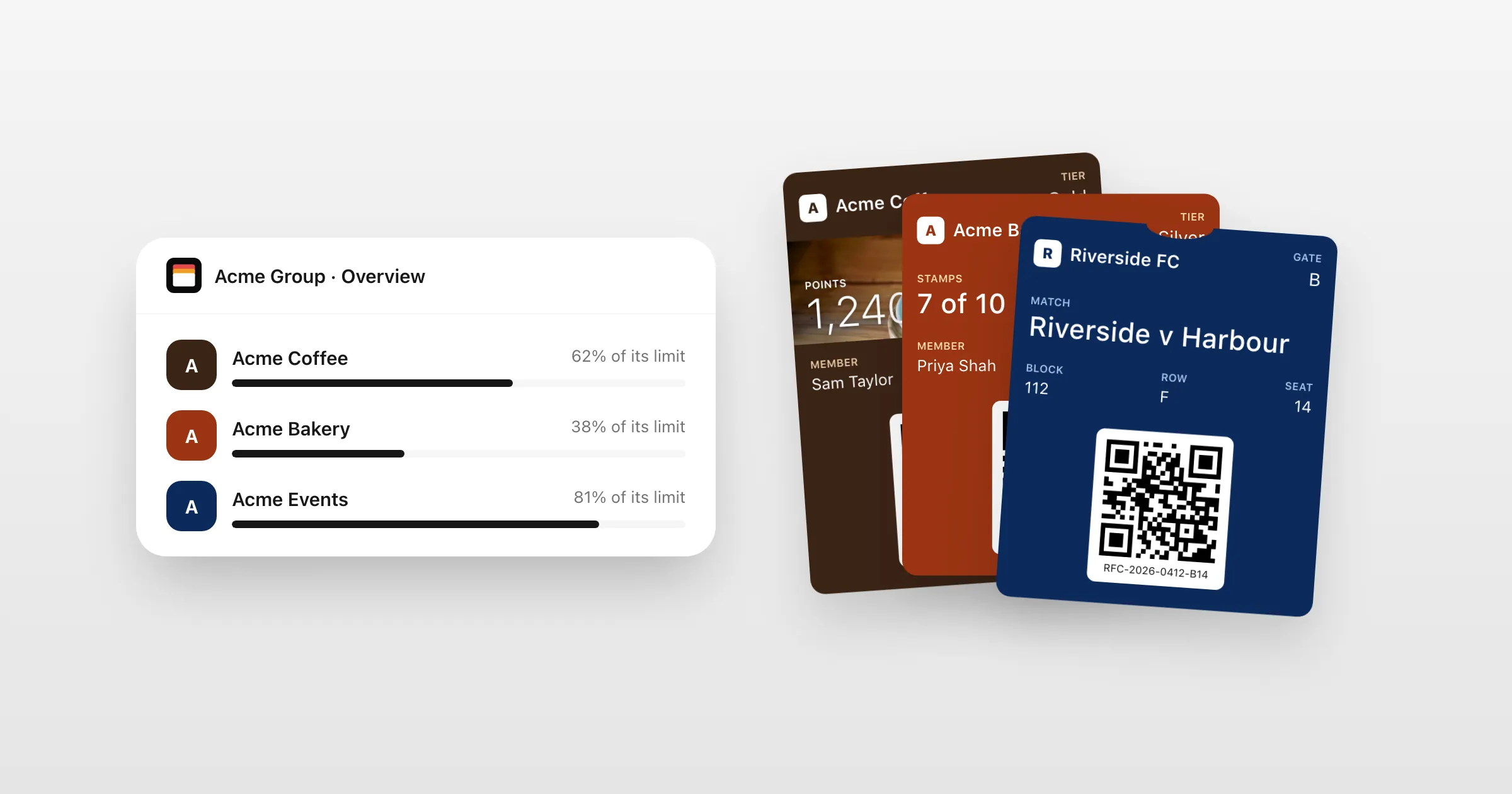
Give each brand, department or region its own workspace, with its own passes, people and Apple and Google identity. Share what they have in common, and see it all from one organization.
What you get
Run every brand from one place.
A workspace for each
Each brand, department or region gets its own passes, templates, API key and people, kept apart.
The right access for each person
Organization admins oversee everything; each workspace has its own owners, admins and members.
Share credentials and templates
Set up an Apple and Google identity or a template once, and share it with every workspace or chosen ones.
One allowance, your limits
Every workspace draws on one monthly allowance, with a limit you set for each and warnings at 80% and 100%.
Each brand's own address
Install pages on each brand's own domain, in its own colours, with only its name on them.
On the record
An activity log of who changed access, credentials and passes, and an emailed code to confirm the riskiest actions.
How it works
Set up once, run everywhere
- 1
Create the organization
Then a workspace for each brand, department or region.
- 2
Share what's common
Your Apple and Google identity and your templates, to all workspaces or chosen ones.
- 3
Hand each its own
Invite each workspace's people. They see their own passes; you see the whole picture.
When things change
Brands are sold, and departments move.
Hand a workspace over to another organization, with its passes, credentials, API key, webhooks and members. Passes already on phones keep working, and the new owner accepts it from an email.
- A usage report by workspace
- Monthly limits per workspace
- Your data stored in the EU
- On Enterprise: unlimited workspaces and identities, help setting up Apple and Google, an agreed level of service and a named contact
Questions
How many workspaces can we have?
Growth includes 10 workspaces and 10 Apple and Google identities. Enterprise has no limit on either.
Can one brand use another's credentials?
Only if you share them with it. Credentials and templates set up for the organization are shared with all workspaces or chosen ones.
Can we stop one brand using the whole allowance?
Yes. Give each workspace a monthly limit, and you're warned at 80% and 100%.
What if we sell a brand?
Hand its workspace over to the buyer's organization, with its passes, credentials and people. Passes already issued keep working.
Put your first pass on a phone today.
Free to start, with every feature on test passes. Add your own Apple and Google details when you're ready to go live.