Coupons and offers
Offers that don't end up in the bin.
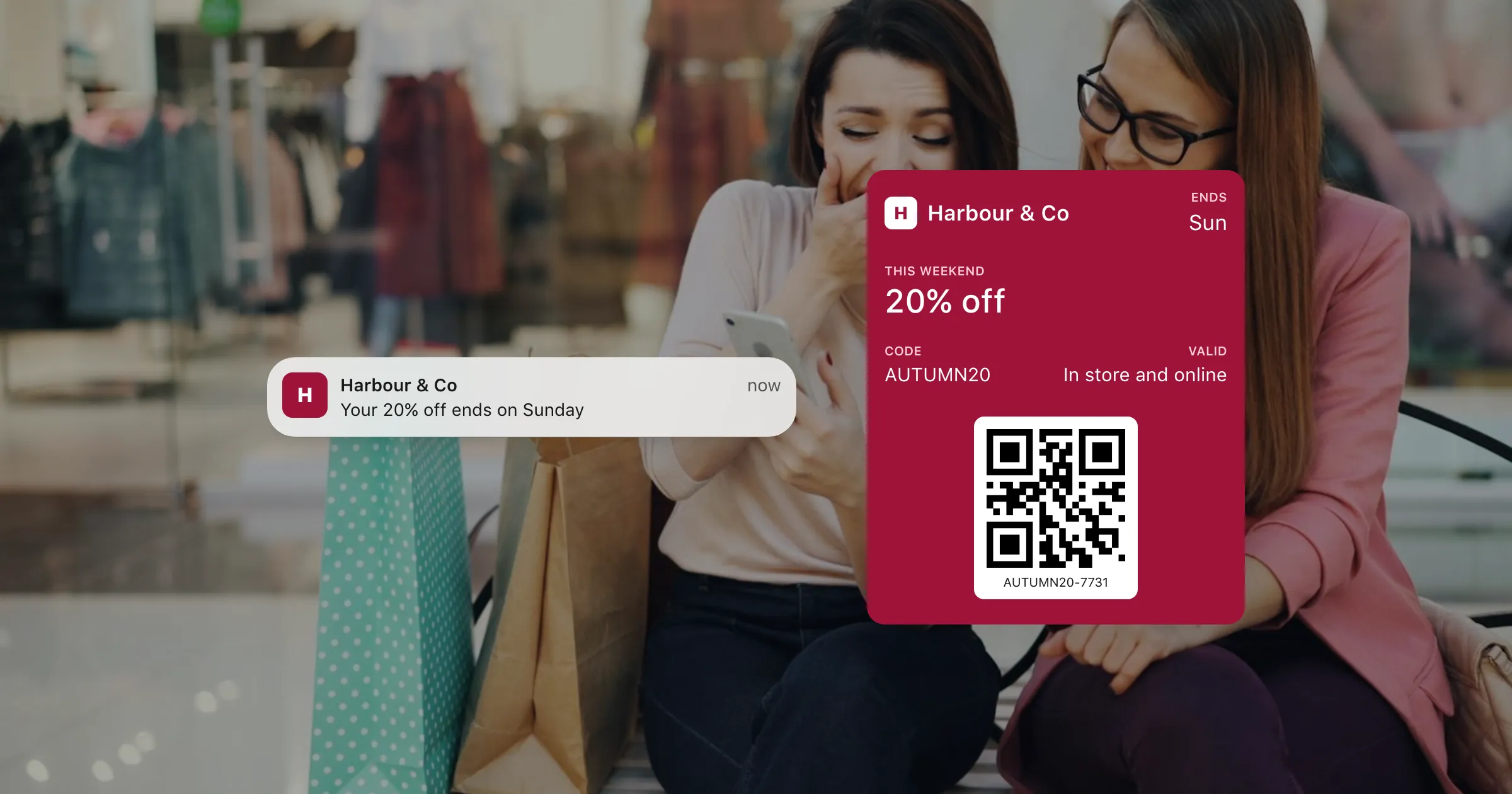
A coupon saved in Apple Wallet or Google Wallet stays on the phone until it's used: with its code, its expiry date, and a reminder on the lock screen.
What you get
Everything an offer needs.
A code that's easy to use
The offer, its terms and a barcode or code for the till, on the phone instead of in an inbox.
A reminder before it ends
Send "Ends Sunday" to everyone who saved it, on their lock screen.
Change the offer
Extend it, improve it or correct it, and every saved coupon changes with it.
Expiry handled
Give it an end date and Wallet marks it as expired when the day comes.
Used is used
Revoke a coupon once it's redeemed, and every copy is voided.
Share it anywhere
One link for email, text, social posts or a QR code in the shop. It opens the right wallet on each phone.
How it works
From campaign to checkout
- 1
Design the coupon
The offer up front, terms on the back, and the code your till expects.
- 2
Send it out
A personal coupon for each customer, or one link for everyone.
- 3
Remind and retire
A message before it ends, then revoke codes as they're used.
Questions
Can each customer get their own code?
Yes. Make a coupon per customer from a template, each with its own code, through the API or from a spreadsheet.
What happens when the offer ends?
Set an expiry date and Wallet marks the coupon as expired on that day. You can also revoke it.
Can we stop a coupon being used twice?
The check is your till's, as with any code. Once it's redeemed, revoke it, and every copy is voided on the phones it's on.
Can we send a reminder?
Yes. Send a message to every saved coupon, or to the ones a search finds, and it appears on their lock screens.
Put your first pass on a phone today.
Free to start, with every feature on test passes. Add your own Apple and Google details when you're ready to go live.