Tickets and events
Tickets that keep up with the plan.
Seats, gates and kick-off times that change on the ticket when they change for real, a message to everyone with a ticket, and a QR code your scanners already read.
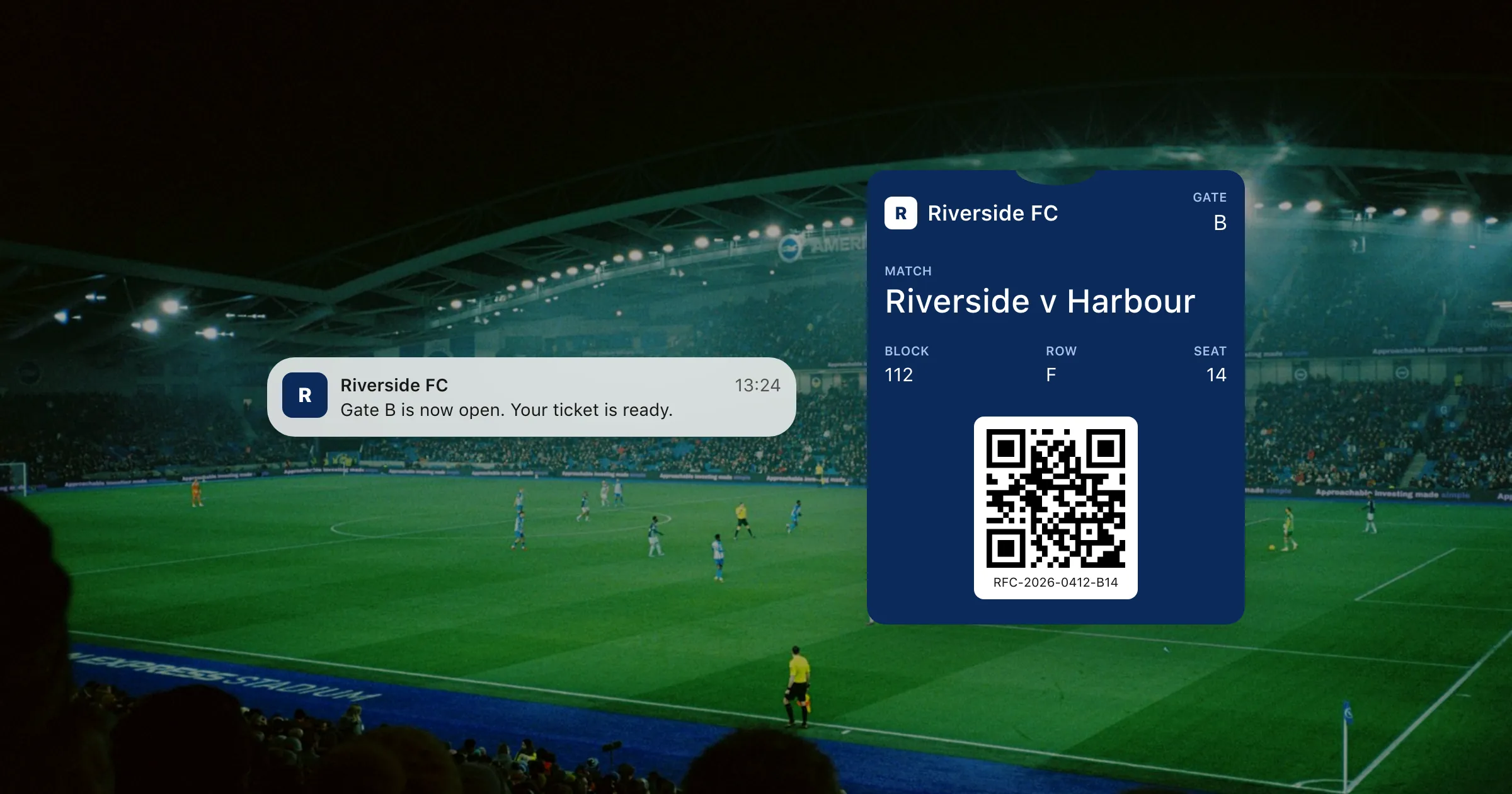
What you get
Everything a ticket needs.
A ticket in the wallet
Seat, gate, time and a barcode, on the phone people already carry. Nothing to print, nothing to lose.
Changes reach every ticket
Moved the kick-off or the gate? Update the ticket and it changes on every phone it's on.
Tell ticket holders
"Gate B is now open" on the lock screen, for one ticket, or every ticket for the match.
There when they arrive
Add the venue, and Apple Wallet can bring the ticket up on the lock screen as they get near.
Cancel a ticket for good
Revoke a ticket and every copy is voided at once, so a refunded or resold ticket can't be used.
The poster layout
On iOS 27, a ticket can carry full-height artwork, with the classic ticket for older iPhones.
How it works
From sale to the gate
- 1
Issue a ticket per seat
From your ticketing system through the API, or from a spreadsheet in the dashboard.
- 2
Send the link
In the confirmation email. It opens Apple Wallet or Google Wallet, whichever the phone has.
- 3
Scan at the gate
Your scanners read the QR code. Change the ticket, or cancel it, right up to kick-off.
Questions
Do we need new scanners?
No. The ticket shows a QR, PDF417, Aztec or Code 128 barcode with whatever value your system already checks.
What happens when a ticket is refunded?
Revoke it. Every copy is voided on the phones it's on, and it can't be updated or added again.
Can we change the time for everyone at once?
Yes. Send one update to every ticket for the event, and holders can be notified of the change.
Does it work for both iPhone and Android?
Yes. One ticket is made for Apple Wallet and Google Wallet, and one link offers whichever the phone has.
Put your first pass on a phone today.
Free to start, with every feature on test passes. Add your own Apple and Google details when you're ready to go live.