For developers
One request in. Both wallets out.
A plain JSON API for Apple Wallet and Google Wallet passes. Send the pass from your own software, get back a share link, and update it by its serial number. We handle signing, push services and the differences between the wallets.
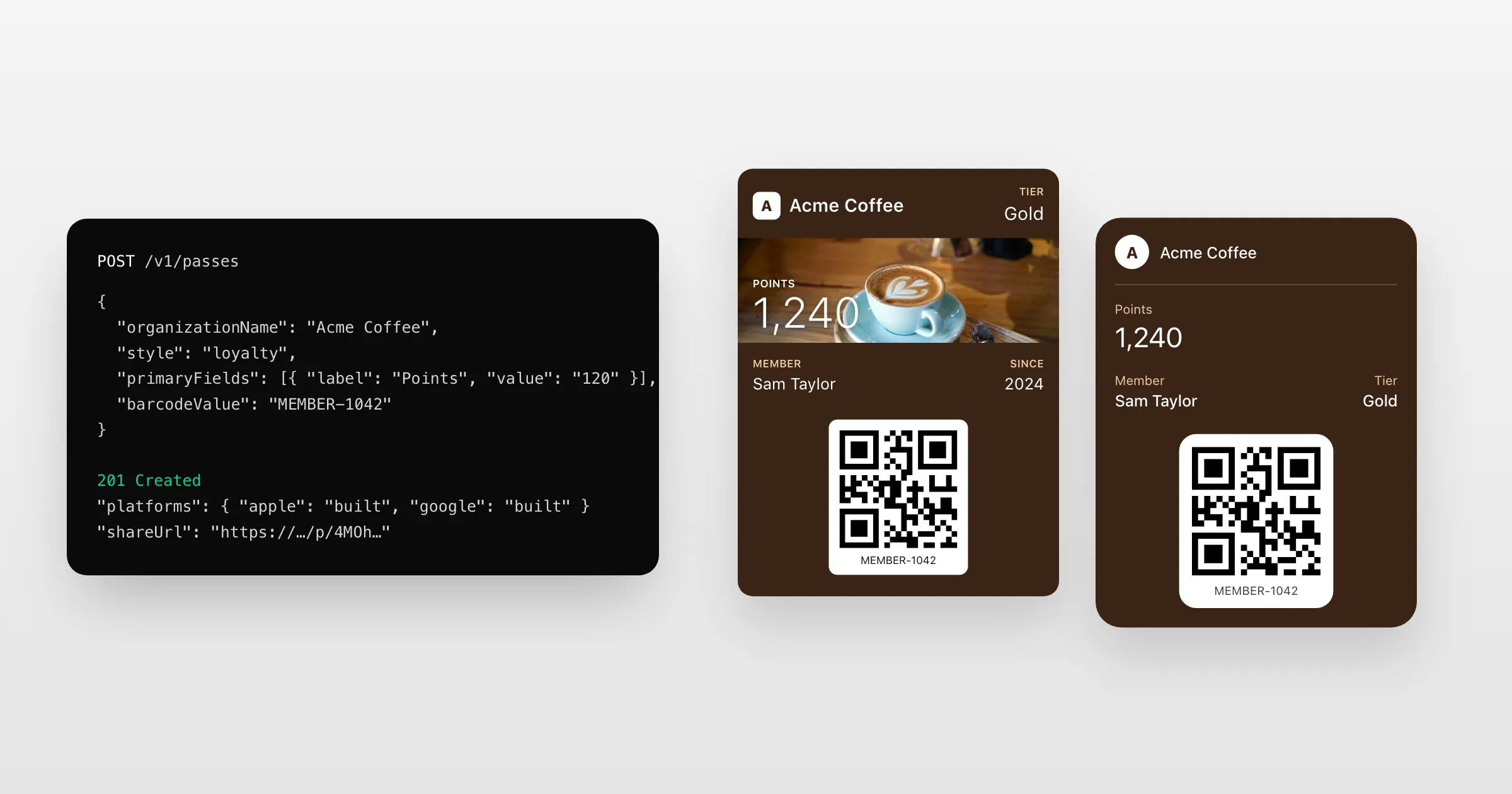
What you get
What the API takes care of.
One pass, both wallets
Describe the pass once as JSON. We sign the Apple pass and create the Google one, and give you one link for both.
Updates handled
PUT the new pass. We run Apple's web service and push service, and update Google's copy.
Safe retries
Every write takes an Idempotency-Key, so a retry after a dropped connection never makes a second pass.
Signed webhooks
Hear when a pass is added, saved, updated or removed, with every event signed.
Templates and placeholders
Keep the design in a template and send only each holder's values.
Docs you can trust
cURL, Node.js, Python and PHP for every request, each one run against the API in CI, and an OpenAPI document.
How it works
Live in an afternoon
- 1
Get an API key
From the dashboard. Start with our credentials, which mark passes as test passes.
- 2
Create a pass
One POST with the pass as JSON. The answer has its serial number and share link.
- 3
Keep it current
PUT changes as they happen in your system. Unchanged updates cost nothing.
The whole API in one request
Send a pass, get a link.
This is all it takes to make a loyalty card for Apple Wallet and Google Wallet. The answer's shareUrl offers each phone its own wallet.
curl https://api.walletpassapi.com/v1/passes \
  -H "Authorization: Bearer $WALLET_API_KEY" \
  -H "Idempotency-Key: member-1042" \
  -H "Content-Type: application/json" \
  -d '{
    "organizationName": "Acme Coffee",
    "logoText": "Acme",
    "style": "loyalty",
    "primaryFields": [
      { "key": "points", "label": "Points", "value": "120",
        "changeMessage": "You now have %@ points" }
    ],
    "barcodeValue": "MEMBER-1042",
    "barcodeFormat": "QR"
  }'
Questions
Do I need my own Apple and Google accounts?
Not to build and test: our credentials make test passes that work on real phones. To go live, you add your own Apple Developer and Google Wallet credentials to an issuer.
Do you run the Apple web service?
Yes. Devices register with us, we send the pushes through Apple's push service, and we serve the updated pass. You only send the new content.
Is there an SDK?
There's no SDK to install: it's JSON over HTTPS with an API key. The docs show every request in cURL, Node.js, Python and PHP, and the OpenAPI document works with client generators and Postman.
Can AI coding tools read the docs?
Yes. Every docs page is also plain Markdown, and llms.txt and llms-full.txt describe the whole API for AI tools.
Where is data stored?
In the EU. Apple, Google and our email provider handle passes to deliver them.
Put your first pass on a phone today.
Free to start, with every feature on test passes. Add your own Apple and Google details when you're ready to go live.